

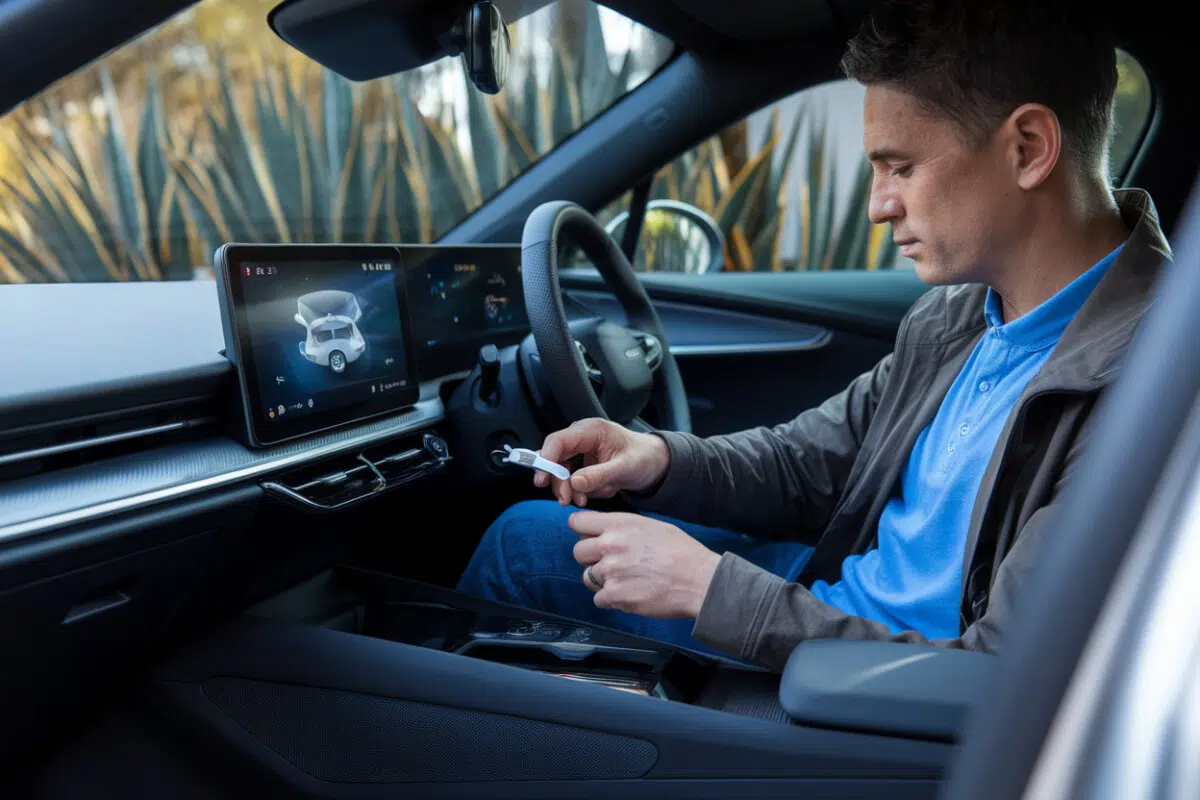
If you’re still plugging your phone into your car every single drive, you know the routine: the cable snakes across the console, gets jammed near the shifter, and eventually dies at the worst possible time.
A tiny USB-style gadget called the Ungy CarPlay adapter promises a cleaner fix, keep Apple CarPlay or Android Auto on your dashboard screen, but ditch the daily cable. It won’t work for everyone, and it won’t charge your phone. But for the right car, it can make your commute feel instantly more modern.
The pitch is simple: plug it into the same USB port you already use for wired CarPlay or Android Auto, pair your phone once, and future drives connect automatically over wireless.
What the Ungy adapter actually does, and what it doesn’t
The Ungy adapter is a bridge. On the car side, it plugs into the USB port that already supports wired CarPlay or wired Android Auto. On the phone side, it uses Bluetooth 5.4 for the initial handshake, then switches to dual-band Wi‑Fi to handle the heavier data load that keeps maps, music, and calls running on your infotainment screen.
Here’s the non-negotiable catch: this doesn’t “add” CarPlay to an older head unit that never had it. Your vehicle must already support wired CarPlay or wired Android Auto. If plugging in a cable today doesn’t bring up CarPlay/Android Auto on the screen, this adapter won’t magically change that.
Price is part of the appeal. The French article highlights adapters selling for under €20, about $22 at current exchange rates, putting it in impulse-buy territory compared with pricier wireless retrofit options.
Why wireless feels better on short trips
The biggest quality-of-life upgrade shows up on quick errands, school drop-off, a run to the grocery store, a short hop to the train station. Instead of pulling out your phone, unlocking it, finding the right cable, and plugging in, you start the car and the interface pops up on its own.
Once it’s connected, you get the usual benefits on the center screen: navigation (Waze or Google Maps), music (Spotify), and hands-free calling, without handling your phone.
The adapter is marketed as compact, more like a small thumb drive than a bulky dongle. That matters in real life: larger adapters can stick out, get bumped, or put stress on the USB port over time. Ungy is offered with USB‑A and USB‑C options to match older and newer vehicles.
Dual-band Wi‑Fi helps, but wireless can still hiccup
After pairing, dual-band Wi‑Fi carries the connection that keeps CarPlay or Android Auto responsive. In ideal conditions, that means fewer stutters when you’re switching tracks, taking calls, or watching your map update in real time.
But wireless adds another layer of complexity. Expect a small delay on startup, usually just a few seconds, while the car and phone find each other and complete the handoff from Bluetooth to Wi‑Fi.
And like any Wi‑Fi-dependent setup, interference can be a problem in certain environments: dense urban areas, underground garages, or places saturated with signals. If you see dropouts, one practical fix is to make sure your phone isn’t trying to auto-join a known public Wi‑Fi network mid-drive.
Compatibility: 2016 and newer, “900+ models”, with notable exceptions
Ungy claims compatibility with vehicles from 2016 and up, covering more than 900 models. For American drivers, that roughly lines up with when CarPlay and Android Auto became common across mainstream brands, not just luxury trims.
The easiest real-world test is straightforward: if your iPhone or Android phone connects today with a cable and reliably launches CarPlay/Android Auto on your screen, you’re the target customer.
There are also explicit exclusions listed: BMW, Tesla, and Peugeot. Tesla is the big one for U.S. readers, Tesla doesn’t natively support CarPlay or Android Auto in the same way most automakers do, so a plug-in adapter like this typically can’t solve that. BMW systems can also behave differently depending on model year and software, so buyers should treat the exclusion list as a serious warning, not a suggestion.
Setup is plug-and-play, then it reconnects automatically
Installation is designed to be simple: plug the adapter into the CarPlay/Android Auto USB port, follow the pairing prompts on your phone, and approve the Bluetooth connection. After that first setup, the adapter is supposed to reconnect automatically each time you start the car.
A smart way to test it is to run a full cycle: pair it, shut the car off, step away, come back, restart, and see whether the infotainment screen brings CarPlay/Android Auto back without you touching anything.
If multiple phones have been paired, say you share a car with a spouse or family member, you may occasionally need to choose which device takes priority, especially if the system tries to reconnect to the last phone it saw.
The biggest downside: it won’t charge your phone
Wireless convenience comes with a tradeoff: your phone isn’t physically plugged in, so it’s not charging. On longer drives, especially with navigation running, music streaming, and calls, battery drain can be real.
Many drivers end up using a separate charging solution (a 12V car charger or a different USB port) while keeping CarPlay/Android Auto wireless. That still reduces wear on the data port you rely on for CarPlay and keeps the cabin from turning into a cable mess.
Tips to avoid lag and disconnects
Start with the basics: update iOS or Android, and make sure wired CarPlay/Android Auto is stable before you go wireless. If the wired connection is flaky, a wireless adapter won’t fix the underlying issue.
Cleaning up old Bluetooth pairings, on both the car and your phone, can prevent conflicts. And if you’re seeing repeat dropouts, try driving the same route at the same time to figure out whether it’s a specific interference zone rather than the adapter itself.
The broader implication is simple: as automakers keep pushing bigger screens and more software into the dashboard, small accessories like this are becoming the cheap workaround drivers use to get modern features without buying a new car, or paying for a pricey factory upgrade.
Key Takeaways
- The Ungy CarPlay adapter turns an existing wired CarPlay or Android Auto setup into wireless.
- The connection uses Bluetooth 5.4 for pairing and dual-band Wi‑Fi for operation.
- Compatibility targets 2016+ vehicles and over 900 models, excluding BMW, Tesla, and Peugeot.
- Installation is plug-and-play: pair once, then it reconnects automatically.
- Wireless improves convenience, but it doesn’t charge your phone on long trips.
Frequently Asked Questions
Will the Ungy CarPlay adapter work if my car didn’t come with CarPlay?
No. Your car must already have wired CarPlay or wired Android Auto on the vehicle’s screen. The adapter only converts that wired connection to wireless—it doesn’t add CarPlay to a non-compatible head unit.
Why does the connection go through Bluetooth and then Wi‑Fi?
Bluetooth is mainly used for pairing and establishing the initial connection. Wi‑Fi then takes over to carry the data needed for CarPlay or Android Auto display and responsiveness—hence the benefit of a dual-band Wi‑Fi solution.
What should I do if wireless CarPlay disconnects sometimes?
Start by making sure wired CarPlay works without issues, then delete old/unneeded Bluetooth pairings and avoid auto-connecting to public Wi‑Fi networks. Also check whether the dropouts happen in a specific area, which could indicate local interference.
Is it compatible with BMW, Tesla, or Peugeot?
No. These brands are listed as not compatible in the available information. If you drive one of these brands, it’s best to assume the adapter won’t work under normal use.
Does wireless completely replace the cable for everyday use?
For the CarPlay or Android Auto connection, yes—you no longer need to plug in your phone. But for charging, especially on a long trip with navigation and music, you may still need a separate power solution.
Sources
- Dites adieu aux câbles vers votre CarPlay ou Android Auto grâce à ce petit accessoire à moins de 20 euros
- 6 Meilleur Adaptateur Carplay sans Fil en 2026 | Test des Dongle Carplay
- Améliorez votre voiture avec la boîte CarPlay sans fil : votre guide d – Aoocci
- Qu'est-ce qu'un adaptateur Carplay ? – Carplay.fr
- CarPlay : cet adaptateur sans fil à moins de 25 euros va transformer votre vieille voiture